

QuiNVarium Wallet
Supported networks
Find networks, native assets, token standards, swaps and NFT support in QuiNVarium Wallet.
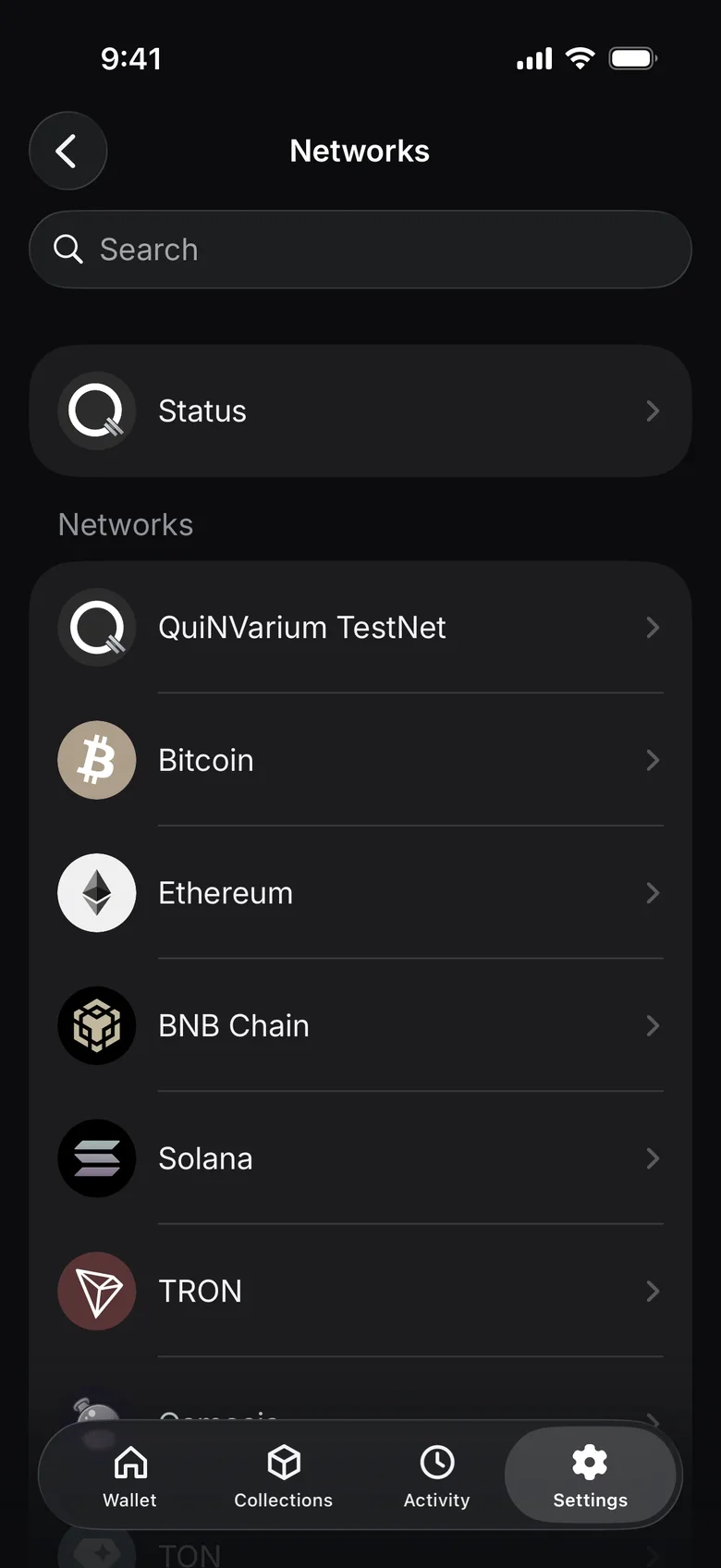
QuiNVarium Wallet includes the QuiNVarium TestNet network and the network catalog below. Enable or hide networks from Manage assets. The actions shown for an asset in the app are the source of truth for what you can do with that asset.
Supported networks
53| Network | Native asset | Tokens | Swap | NFT |
|---|---|---|---|---|
| QuiNVarium TestNet | QNV | — | — | — |
| Bitcoin | BTC | — | Yes | — |
| Bitcoin Cash | BCH | — | Yes | — |
| Litecoin | LTC | — | Yes | — |
| Ethereum | ETH | ERC-20 | Yes | — |
| BNB Chain | BNB | BEP-20 | Yes | — |
| Solana | SOL | SPL | Yes | — |
| Polygon | POL | ERC-20 | Yes | — |
| THORChain | RUNE | — | Yes | — |
| MAYAChain | CACAO | — | — | — |
| Cosmos | ATOM | — | Yes | — |
| Osmosis | OSMO | — | Yes | — |
| Arbitrum | ETH | ERC-20 | Yes | — |
| TON | GRAM | Jetton | Yes | Yes |
| TRON | TRX | TRC-20 | Yes | — |
| Dogecoin | DOGE | — | Yes | — |
| Zcash | ZEC | — | Yes | — |
| Optimism | ETH | ERC-20 | Yes | — |
| Aptos | APT | Token | Yes | — |
| Base | ETH | ERC-20 | Yes | — |
| Avalanche | AVAX | ERC-20 | Yes | — |
| Sui | SUI | Token | Yes | — |
| XRP Ledger | XRP | — | Yes | — |
| opBNB | BNB | BEP-20 | Yes | — |
| Fantom | FTM | ERC-20 | Yes | — |
| Gnosis Chain | xDAI | ERC-20 | Yes | — |
| Celestia | TIA | — | — | — |
| Injective | INJ | — | — | — |
| Sei | SEI | — | — | — |
| Sei EVM | SEI | ERC-20 | Yes | — |
| Manta | ETH | ERC-20 | Yes | — |
| Blast | ETH | ERC-20 | Yes | — |
| Noble | USDC | — | — | — |
| zkSync | ETH | ERC-20 | Yes | — |
| Linea | ETH | ERC-20 | Yes | — |
| Mantle | MNT | ERC-20 | Yes | — |
| Celo | CELO | ERC-20 | Yes | — |
| NEAR | NEAR | Token | Yes | — |
| World Chain | ETH | ERC-20 | Yes | — |
| Stellar | XLM | — | Yes | — |
| Sonic | S | ERC-20 | Yes | — |
| Algorand | ALGO | ASA | Yes | — |
| Polkadot | DOT | — | — | — |
| Plasma | XPL | ERC-20 | Yes | — |
| Abstract | ETH | ERC-20 | Yes | — |
| Berachain | BERA | ERC-20 | Yes | — |
| Ink | ETH | ERC-20 | Yes | — |
| Unichain | ETH | ERC-20 | Yes | — |
| Monad | MON | ERC-20 | Yes | — |
| X Layer | OKB | ERC-20 | Yes | — |
| Robinhood Chain | ETH | ERC-20 | Yes | — |
| Stable | USDT0 | ERC-20 | — | — |
| Tempo | USD | TIP-20 | Yes | — |
In the app, the same networks are listed under Settings → Preferences → Networks.
Read the capability labels#
A network can support transfers without supporting every token, NFT collection or swap route. Tokens identifies the token standard used by the wallet. Swap and NFT show whether those sections are available for the network.
Before receiving#
Confirm the network with the sender. Asset symbols can repeat across networks, while addresses and recovery options differ.
Before sending#
Keep the network's fee asset and verify that the destination accepts the same network. QuiNVarium Wallet cannot convert a transfer to another network after signing.
See Network fees and Memos and tags.