

QuiNVarium Wallet
Swap assets
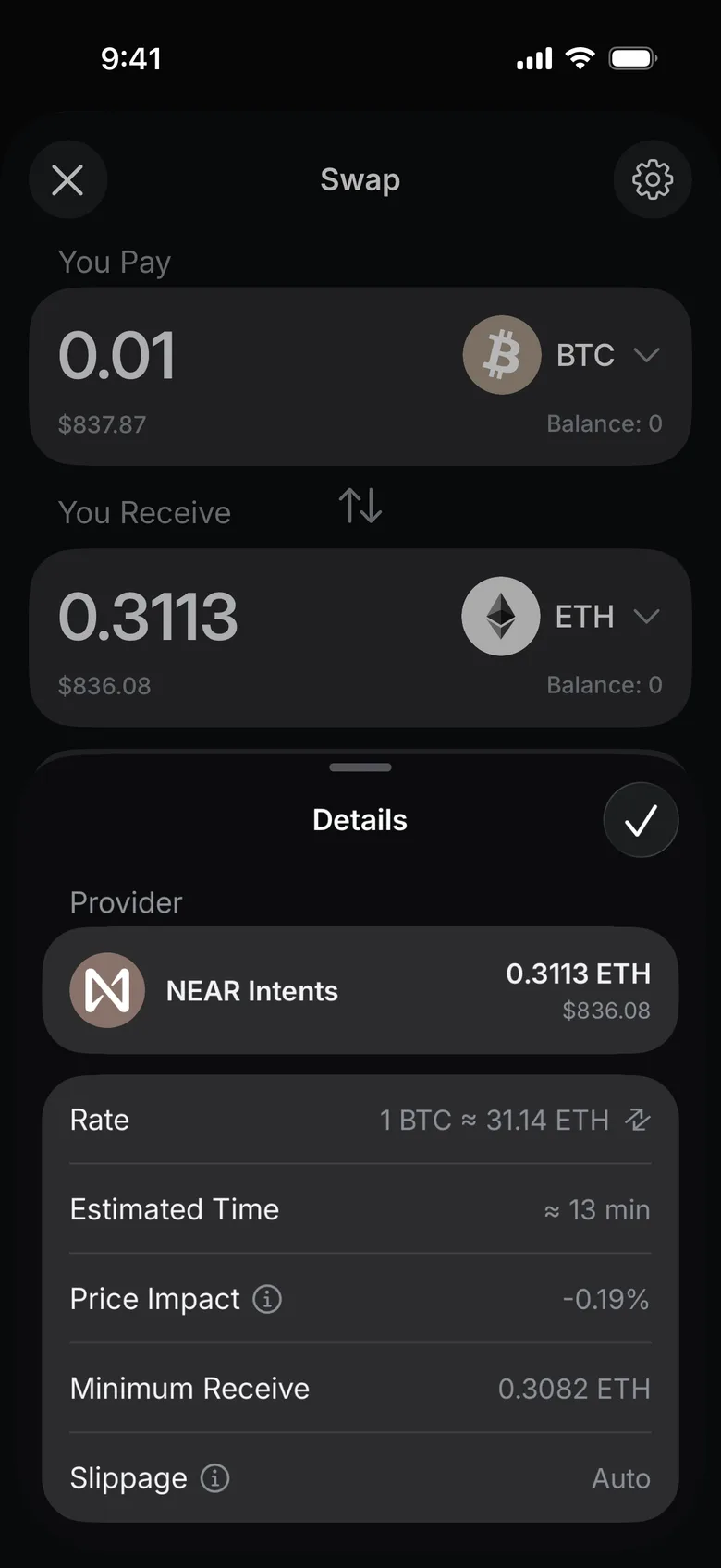
Review the route, provider, rate, fees, network and minimum received amount before approving a swap.
A swap can involve a network contract, a cross-chain route or a third-party provider. Review the displayed route because the responsible service, fees and completion time can differ.
Swap route
The app picks a provider for each pair and names it in the quote before you confirm.
Protocol and network costs are shown in the quote. QuiNVarium Wallet service fee is 0%.
Data shared: public transaction data
Steps#
- Open the asset you want to swap from and tap Swap.
- You Pay already shows that asset. Under You Receive, tap Select Asset.
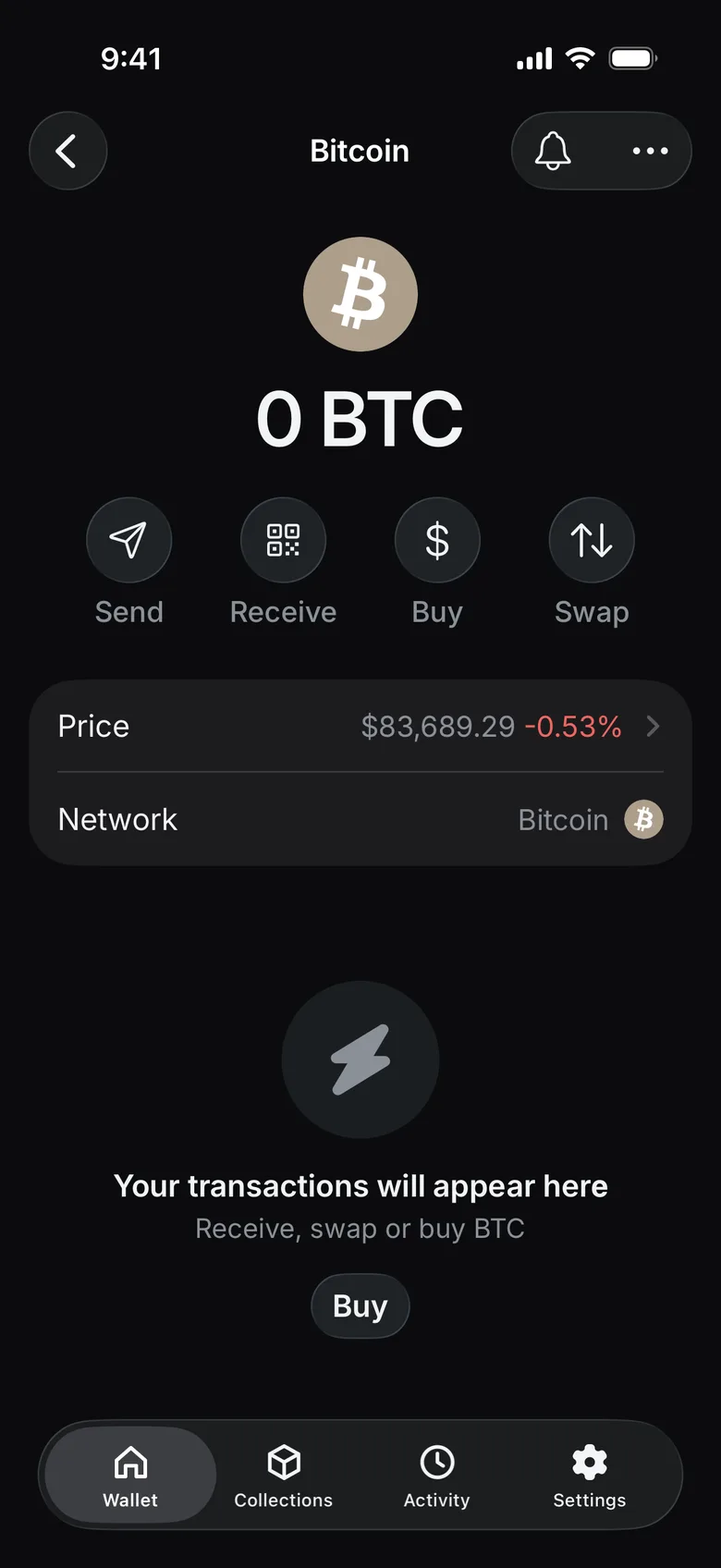
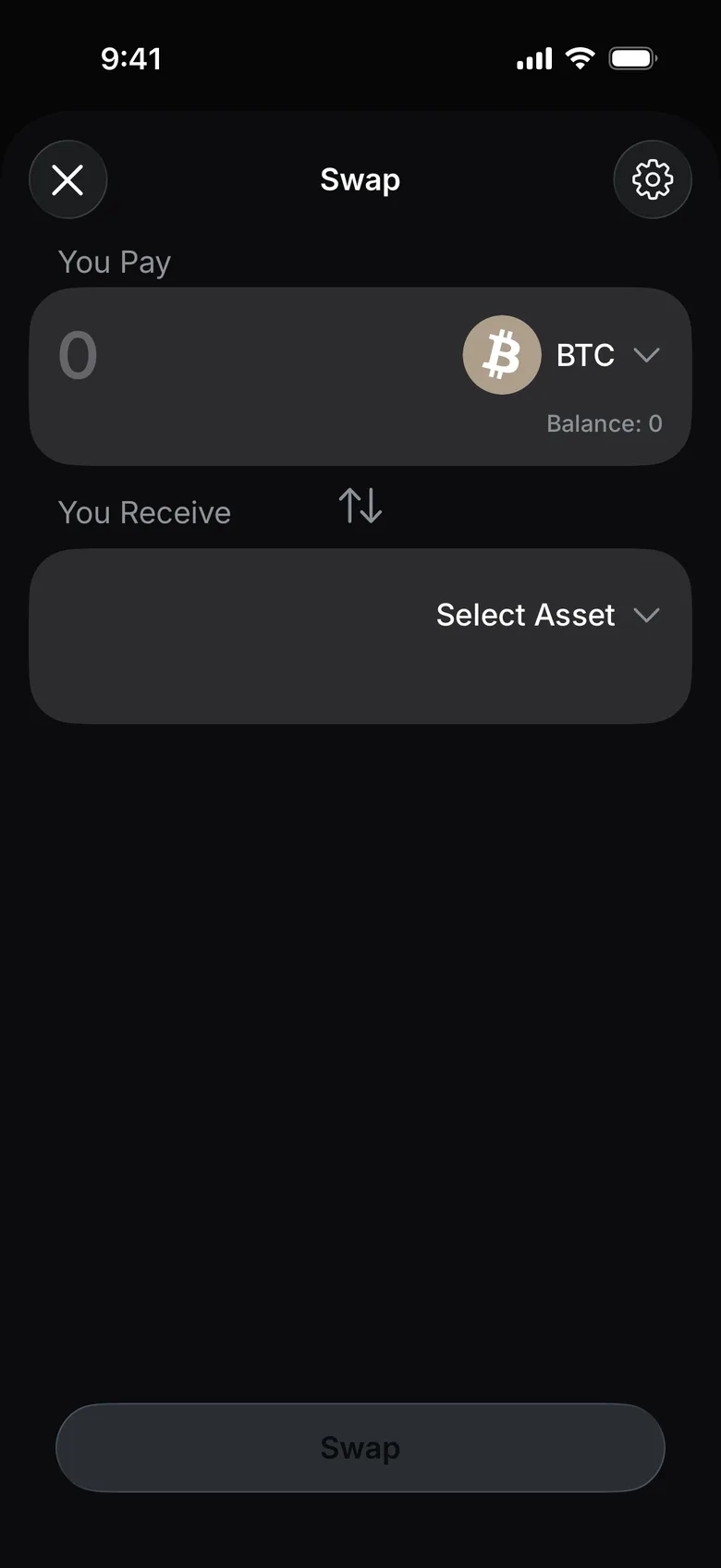
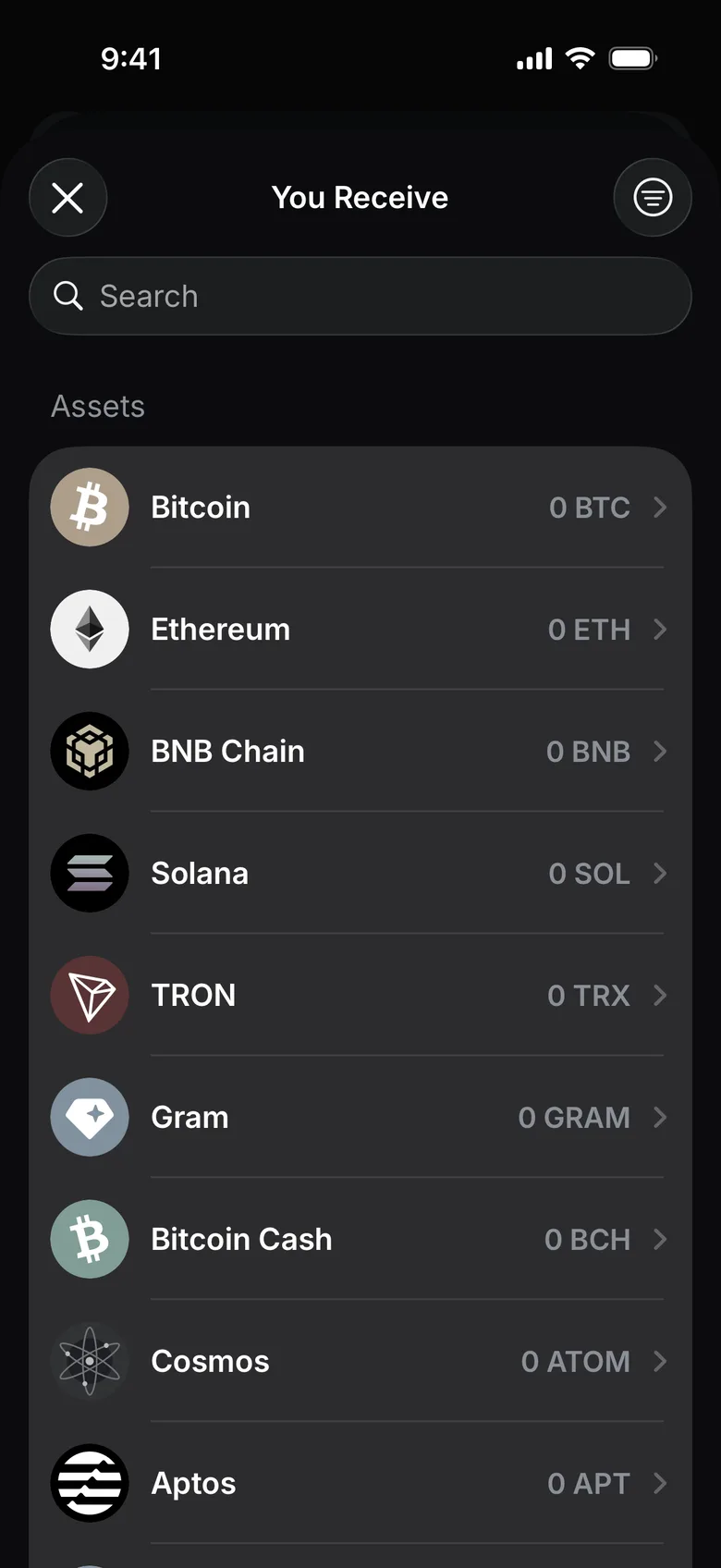
- Choose the asset to receive: search by name or pick it from the list.
- Enter the amount you pay. The app asks the providers for a quote and shows what you receive.
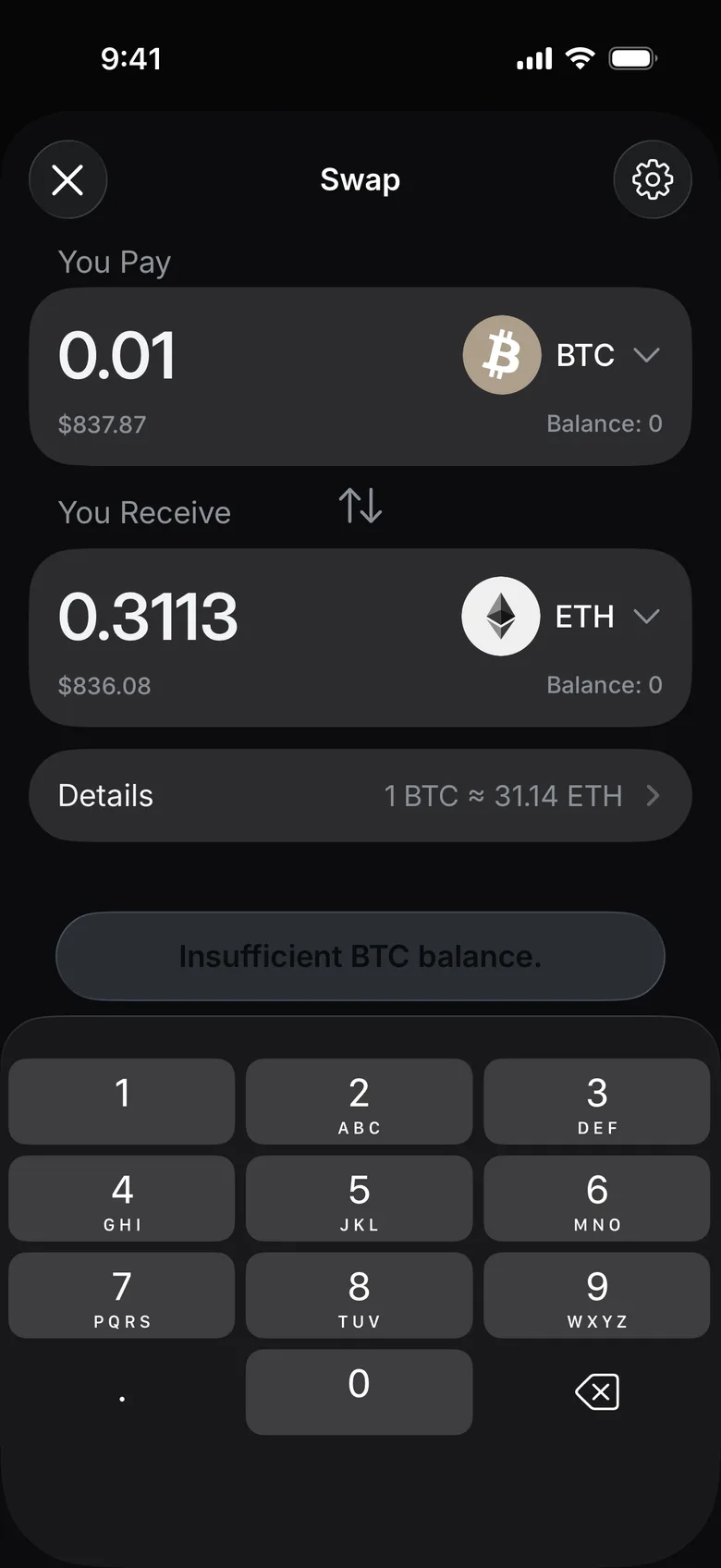
- Tap Details and check the provider, rate, estimated time, price impact, minimum receive amount and slippage.
- If the app asks for a token approval, review it separately from the swap.
- Tap Swap, check the confirmation screen and confirm only when every detail is correct. If the balance is too low, the button says so instead.
- Keep the transaction hash or the provider's order ID until the swap completes.
If the swap remains incomplete, identify whether the visible record is an approval, source transaction, bridge step or provider order, then use provider troubleshooting.